
Edit thousands of WooCommerce products from Excel, in minutes
WpStoreWizard connects your shop to Excel. Create a view with the filters you need, edit the products as in a spreadsheet and publish online in one click.
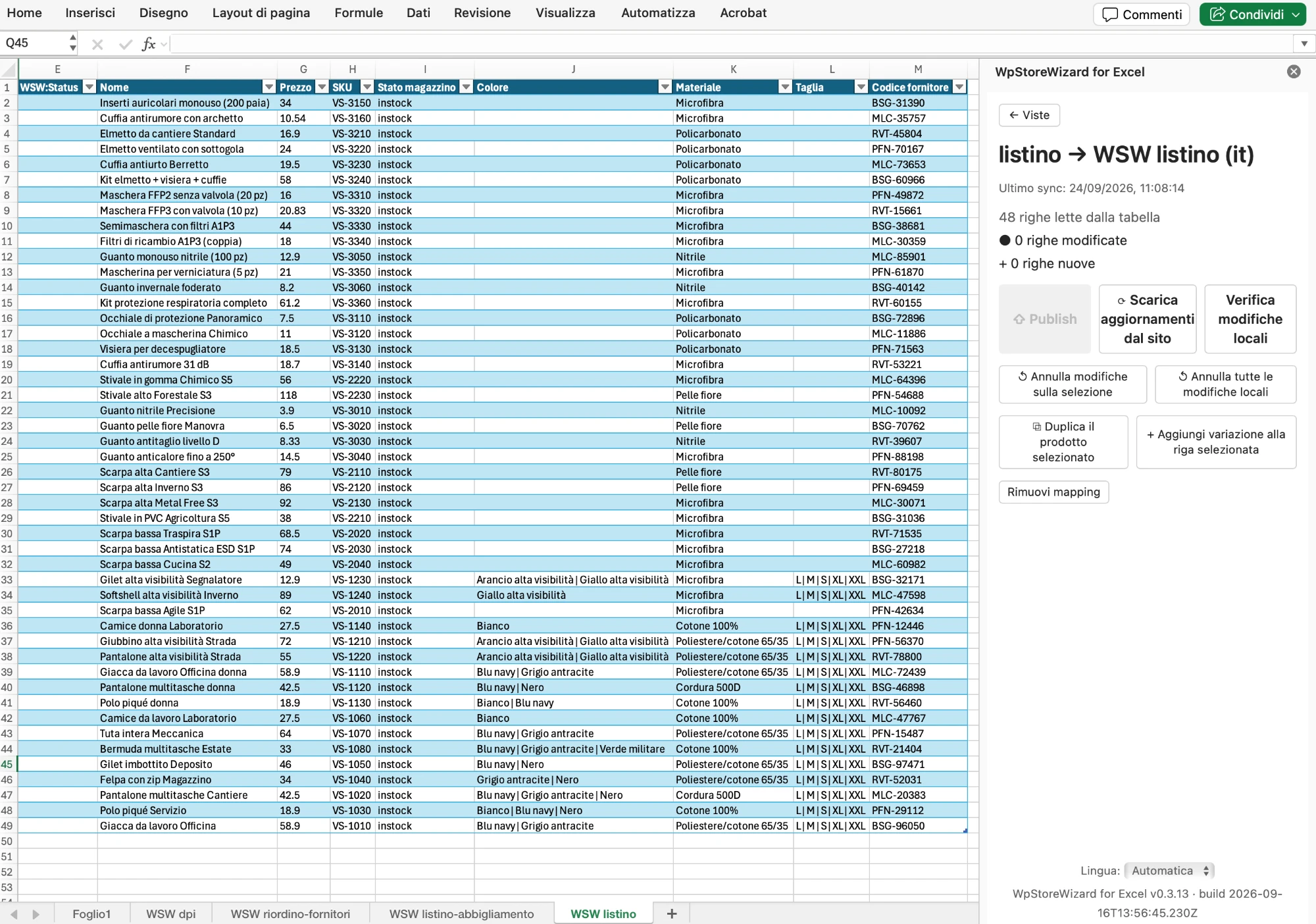
The WpStoreWizard panel lives inside Excel. Your shop's products become the rows of an ordinary spreadsheet.
How it works
1. Connect
You paste your site address and the API key into the add-in. Two fields, one click, you are in.
2. Create a view
Choose the filters (category, price, stock, attributes) and the columns you want to see and edit. Only the data you need.
3. Publish
Edit the cells as in an ordinary Excel sheet. Check your changes, click Publish and your products are updated.
Everything you need to manage a large catalogue
Tailored views
Filter by category, price, stock, attributes and language. You create the view once and reuse it whenever you need it.
Fine-grained permissions
API keys have levels, and separate permissions for creating and for editing. Every collaborator sees only what they need.
Attributes and variations
The add-in recognises on its own the attributes that concern a view, and handles the variations. You do not have to list them by hand.
Custom fields
Compatible with Advanced Custom Fields. Every custom field becomes a column you read and write in Excel.
Product image
Paste an address or upload a file from your computer, always from Excel. When you publish, the image is updated on the product.
Multilingual
Compatible with WPML. Read and write your products in every active language of the shop, from the same view.
Works with the tools you already use
WooCommerce · WordPress · WPML · Advanced Custom Fields · Microsoft Excel
A plan for every size of shop
Every feature is available in every plan,
the limit only concerns the number of products you can manage.
Ready to save hours of work on your products?
One annual licence, one domain, every feature included.
Buy